50 Best Sheet Music Apps [Free & Paid] Every Musician Should Try
50 Best Sheet Music Apps For Musicians In 2025
Picture this: you’re at a gig, and your music folder falls apart. Pages scatter, some go missing, and suddenly you’re scrambling to keep the performance together. I’ve been through that, and it made me realize how unreliable paper sheet music can be.
Switching to digital sheet music apps changed everything no more heavy binders, lost pages, or last-minute stress. My entire library now fits in my pocket, ready to use anytime. Over the years, I’ve tested dozens of apps, from free PDF readers for students to professional tools packed with play-alongs, annotation features, and real-time sharing.
The problem is that most online lists barely cover the options, leaving out many hidden gems. That’s why I’ve put together this complete guide to the 50 best sheet music appswith costs, pros and cons, and useful links so you can find the perfect fit for your music journey.
1. MuseScore (Free, Pro $4.99/month)
MuseScore is one of the most popular digital sheet music apps because it combines a huge online score library with powerful notation tools. I first used it when I wanted free piano and violin scores, and it felt like stepping into a massive community where musicians share their work. You can view, edit, and even write your own music. The Pro version unlocks premium features, including unlimited scores, offline access, and unlimited downloads.
Pros:
- Free access to thousands of community-uploaded scores.
- Works on desktop, iOS, and Android.
- Powerful music notation editor.
Cons:
- Some popular arrangements are locked behind Pro.
- Not the most user-friendly for absolute beginners.
Useful links:
- MuseScore Official
- MuseScore on Google Play
- MuseScore on App Store
2. ForScore ($19.99 One-time Purchase, IOS Only)
ForScore is my go-to iPad sheet music reader app for live performance. It has excellent annotation tools, and with an Apple Pencil, it feels like writing on real sheet music. The app also lets me create setlists so I can switch between songs easily during gigs. Many professional musicians prefer ForScore because it’s stable, elegant, and designed for serious performers.
Pros:
- Smooth page turning and setlist features.
- Top-notch annotation tools with Apple Pencil support.
- Reliable for professional use.
Cons:
- iOS only, no Android version.
- Not free.
Useful links:
- ForScore Official
- ForScore on App Store
- ForScore Review on MusicTech
3. Newzik (Free, Pro $5/month)
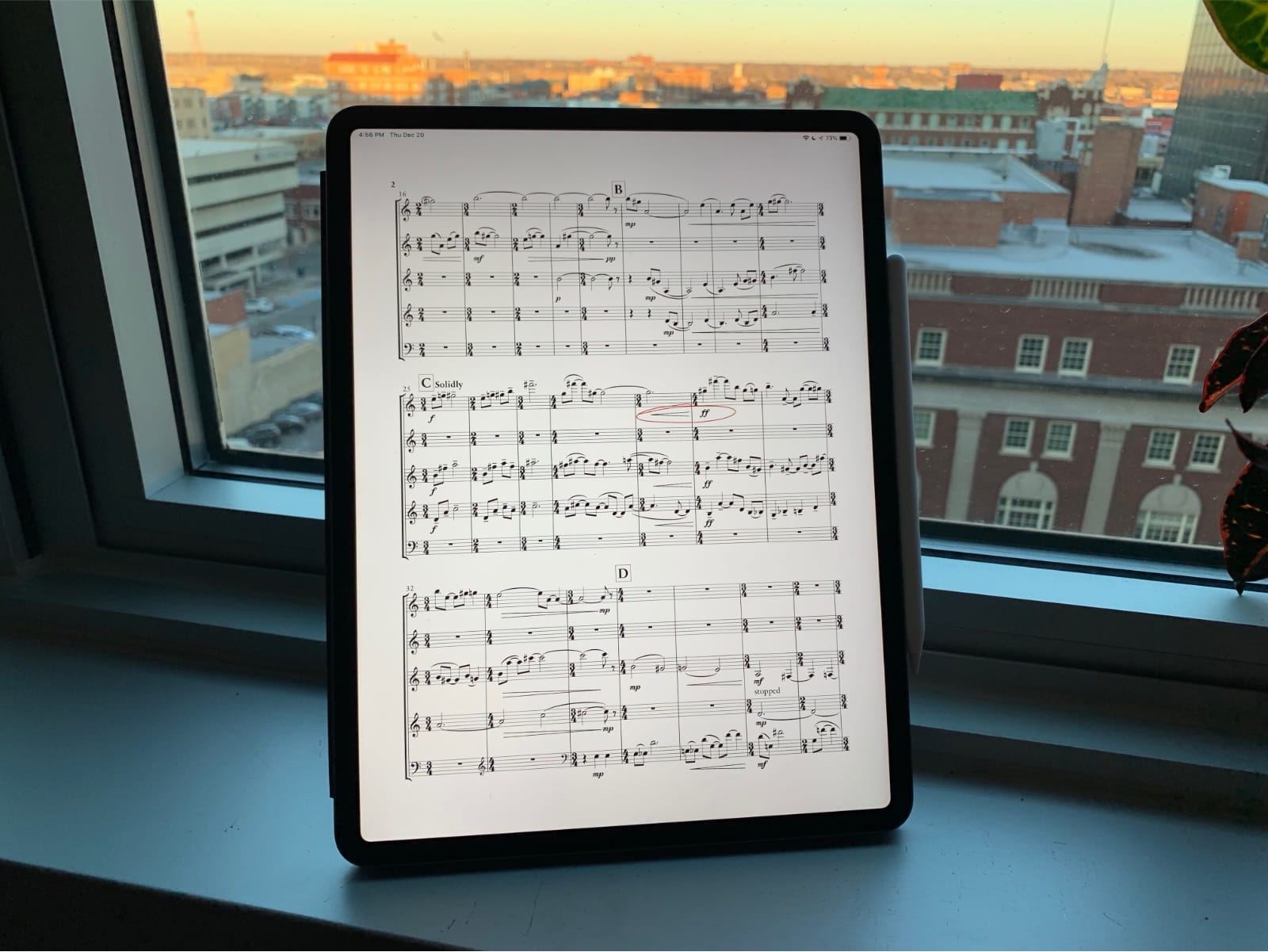
Newzik is one of the best interactive sheet music apps for orchestras and ensembles. The most unique feature is real-time score sharing if the conductor makes a change, everyone’s score updates instantly. It supports PDFs, MusicXML, and even audio tracks. I’ve used it in rehearsals, and it’s great for large groups where consistency is key.
Pros:
- Real-time collaborative score sharing.
- Works with multiple formats (PDF, MusicXML).
- Perfect for professional orchestras and choirs.
Cons:
- Best suited for professionals, not casual players.
- Requires subscription for advanced features.
Useful links:
- Newzik Official
- Newzik on App Store
- Newzik Review on Soundfly
4. Piascore (Free With In-app Purchases)
Piascore is a lightweight free sheet music app for iPad that connects directly to IMSLP, giving instant access to thousands of classical scores. I love how it feels simple but still offers smart features like hands-free page turning using gestures or Bluetooth pedals. It’s especially useful for pianists, violinists, and classical musicians who rely on public domain music.
Pros:
- Free with access to IMSLP library.
- Hands-free page turning.
- Great for classical players.
Cons:
- Focused on classical music, not modern charts.
- Works best on iOS devices.
Useful links:
- Piascore Official
- Piascore on App Store
- Piascore Review on MakeUseOf
5. MobileSheets ($14.99 One-time Purchase, Android & Windows)
MobileSheets is the best Android sheet music reader app I’ve found. It’s similar to ForScore but built for Android and Windows users. I use it with a Bluetooth pedal for page turning during piano gigs, and it’s reliable with large score libraries. The interface isn’t the most modern, but the features are solid.
Pros:
- Available for Android and Windows.
- Works with Bluetooth pedals.
- Handles large score libraries well.
Cons:
- Slightly outdated interface.
- Not free.
Useful links:
- MobileSheets Official
- MobileSheets on Google Play
- MobileSheets on Microsoft Store
6. Tomplay ($9.99/month, Free Trial Available)
Tomplay takes interactive sheet music to the next level with synchronized play-along tracks. When I practice piano, it feels like playing with a real orchestra backing me up. It supports multiple instruments like violin, flute, and saxophone. This app is perfect for practice motivation because you’re not just playing alone; you’re part of the music.
Pros:
- Play-along tracks with sheet music.
- Wide genre selection.
- Great for practice and motivation.
Cons:
- Paid subscription required.
- Not as good for managing personal libraries.
Useful links:
- Tomplay Official
- Tomplay on App Store
- Tomplay Review on PianoDreamers
7. Nkoda ($9.99/month Subscription)
Nkoda feels like the Spotify of sheet music apps. Instead of buying individual pieces, you subscribe and unlock access to over 100,000 professional scores. I’ve used it when preparing chamber music, and it saved me the trouble of tracking down rare sheet music.
Pros:
- Huge sheet music library.
- Subscription model for unlimited access.
- Excellent for ensembles and advanced musicians.
Cons:
- Subscription-only, no free tier.
- Heavy on storage and internet use.
Useful links:
- nkoda Official
- nkoda on App Store
- nkoda Review on The Strad
8. MusicNotes (Free App, $5-$10 Per Score)
MusicNotes is the best licensed sheet music app for pop, Broadway, and film scores. Every arrangement is official and high quality, so I don’t have to worry about messy or incorrect versions. I like that I can buy a score once and access it on all my devices instantly.
Pros:
- Huge licensed catalog.
- Syncs across devices.
- Works offline after purchase.
Cons:
- Can get expensive if you buy many scores.
- Focused on popular music, not classical.
Useful links:
- MusicNotes Official
- MusicNotes on App Store
- MusicNotes on Google Play
9. Power Music (Free, Full Desktop Version $49.99)
Power Music is designed with choirs, worship teams, and bands in mind. I first used it with a choir group, and it was perfect for organizing both sheet music and chord charts. The free mobile app is great for rehearsals, while the desktop version adds more advanced tools.
Pros:
- Supports both sheet music and chord charts.
- Great for choirs, bands, and worship groups.
- Strong organizational features.
Cons:
- Desktop version is pricey.
- Less useful for solo classical players.
Useful links:
- Power Music Official
- Power Music on App Store
- Power Music Review on ChurchMag
10. OnSong ($29.99 One-time, IOS Only)
OnSong is one of the best sheet music apps for guitarists and live bands. I use it for managing chord sheets and setlists when performing. It also has a handy transpose feature, which is a lifesaver when a singer changes key at the last minute. With Bluetooth pedal support, it makes gigging much smoother.
Pros:
- Built for guitarists and bands.
- Quick transposing and setlist features.
- Works with Bluetooth pedals.
Cons:
- iOS only.
- Not ideal for classical sheet music.
Useful links:
- OnSong Official
- OnSong on App Store
- OnSong Tutorial on YouTube
11. Jellynote (Free, Premium $9.99/month)
Jellynote feels like a mix between a sheet music app and a practice tool for modern players. It has interactive scores, tabs, and backing tracks for multiple instruments. I’ve used it for guitar and piano, and what stood out is the play-along mode where the notes light up as you play. The library covers everything from classical to pop.
Pros:
- Interactive learning with play-along features.
- Large selection of genres and instruments.
- Works for guitar tabs as well as sheet music.
Cons:
- Free version has limited features.
- Some sheet music arrangements lack detail.
Useful links:
- Jellynote Official
- Jellynote on App Store
- Jellynote on Google Play
12. IMSLP (Free)
IMSLP (International Music Score Library Project) is like the Wikipedia of sheet music. It’s 100% free and has over 500,000 public domain scores. I use it when I need classical works from Mozart piano sonatas to full orchestral scores. The app isn’t flashy, but it’s the biggest free resource for sheet music anywhere.
Pros:
- Completely free.
- Enormous library of classical music.
- Great for research and study.
Cons:
- Focused only on public domain works.
- The interface is basic and dated.
Useful links:
- IMSLP Official
- IMSLP on App Store
- IMSLP Review on ClassicFM
13. MusicStand (Free With Church Subscription)
MusicStand is designed for worship teams and church musicians. I tried it during a Sunday service, and it made organizing sheet music and lyrics for the whole band seamless. It syncs with Planning Center, so everyone’s setlist updates automatically.
Pros:
- Built for church and worship teams.
- Syncs with Planning Center.
- Easy to share setlists with a group.
Cons:
- Requires church subscription.
- Not suited for solo or classical use.
Useful links:
- MusicStand Official
- MusicStand on App Store
- MusicStand on Planning Center
14. Sheet Music Direct (Free App, Pay Per Sheet $2-$10)
Sheet Music Direct is a licensed sheet music app powered by Hal Leonard, the world’s largest publisher. I like it because everything is official, accurate, and legal. It’s perfect when I need Broadway, film, or jazz charts. You pay per sheet, and they’re available instantly.
Pros:
- Licensed scores from Hal Leonard.
- Huge selection of genres.
- High-quality arrangements.
Cons:
- Pay-per-sheet adds up quickly.
- Less useful for free seekers.
Useful links:
- Sheet Music Direct Official
- Sheet Music Direct on App Store
- Sheet Music Direct on Google Play
15. SongSheet Pro ($19.99 One-time, IOS Only)
SongSheet Pro is great for musicians who play from chord charts. I first tried it with guitar and ukulele, and it was a game-changer because I could transpose songs instantly. It’s especially popular with singer-songwriters and small bands who rely on lead sheets instead of full notation.
Pros:
- Quick transposing.
- Perfect for chord charts and lyrics.
- Easy setlist management.
Cons:
- iOS only.
- Not for classical musicians.
Useful links:
- SongSheet Pro Official
- SongSheet Pro on App Store
- SongSheet Pro Review on Engadget
16. Paperless Music ($4.99 One-time, IOS Only)
Paperless Music is a simple but reliable sheet music reader app for iPad. I like it because it doesn’t try to do too much, it’s just clean PDF sheet music storage with annotation tools. If you’re looking for an affordable alternative to ForScore, this app fits the bill.
Pros:
- Low-cost one-time purchase.
- Simple interface.
- Works well for PDF libraries.
Cons:
- iOS only.
- Fewer advanced features compared to ForScore.
Useful links:
- Paperless Music Official
- Paperless Music on App Store
- Paperless Music Tutorial on YouTube
17. SongBook Pro ($5.99 One-time, Android & IOS)
SongBook Pro is designed for guitarists and band players who need chord sheets and lyrics. I like how you can quickly transpose chords and build custom setlists. It’s affordable and works across Android and iOS, making it a budget-friendly alternative to OnSong.
Pros:
- Cross-platform (iOS & Android).
- Great for chord sheets.
- Low-cost, one-time payment.
Cons:
- Basic interface.
- Not ideal for classical players.
Useful links:
- SongBook Pro Official
- SongBook Pro on App Store
- SongBook Pro on Google Play
18. MusicReader PDF (Free, Pro $69.95 Desktop License)
MusicReader PDF is made for professional orchestras and stage musicians. I tested it during a theater pit gig, and it handled large scores without freezing. It’s optimized for fast page turns and syncing with Bluetooth pedals.
Pros:
- Great for big orchestral scores.
- Works with Bluetooth pedals.
- Desktop version for serious setups.
Cons:
- Pro version is pricey.
- Outdated design.
Useful links:
- MusicReader Official
- MusicReader on App Store
- MusicReader Review on Soundfly
19. Avid Scorch ($14.99 One-time, IOS Only)
Avid Scorch is made by the same company behind Sibelius, one of the biggest music notation software tools. It lets you view, transpose, and play back Sibelius scores. I used it when sharing notation with a composer friend, and it was handy for rehearsals.
Pros:
- Compatible with Sibelius files.
- Playback with virtual instruments.
- Easy transposing.
Cons:
- Limited to Sibelius ecosystem.
- No Android version.
Useful links:
- Avid Scorch Official
- Avid Scorch on App Store
- Avid Scorch Review on MusicRadar
20. Orpheus ($6.99 One-time, Android Only)
Orpheus is a lightweight Android sheet music reader built for simplicity. It’s one of my favorites for quickly loading PDF scores without unnecessary extras. If you just want a reliable, affordable app for practice or gigs, Orpheus does the job. It reminds me of how other focused tools, like the best apps for learning multiplication, strip away distractions and make the learning process straightforward and effective.
Pros:
- Low-cost one-time purchase.
- Clean, simple interface.
- Great for Android users.
Cons:
- Android only.
- Limited advanced features.
Useful links:
- Orpheus Official
- Orpheus on Google Play
- Orpheus Review on AndroidGuys
21. Flowkey - $19.99/month (free Version Available)
Flowkey is one of the most popular piano learning apps out there, and I see why. It’s like having a private piano teacher available anytime. The app shows you how to play songs step by step with video lessons and interactive sheet music. You can pick songs by genre or difficulty, and it even listens to your playing to give real-time feedback. I use Flowkey when I want to learn songs at my own pace without pressure.
Pros:
- Easy-to-follow video tutorials.
- Works for beginners and advanced learners.
- Big library of classical and pop songs.
Cons:
- Full features only available with subscription.
- Works best with a MIDI keyboard for tracking.
Useful links:
- Flowkey Official
- Flowkey on App Store
- Flowkey Review on PianoDreamers
22. Simply Piano - $14.99/month (free Trial Available)
Simply Piano by JoyTunes is designed to make learning piano fun and simple, even if you’re starting from zero. The app listens to your playing through your device’s microphone and gives instant feedback. I like how it breaks lessons into short, digestible chunks so I don’t feel overwhelmed. It’s also great for kids because of its gamified approach.
Pros:
- Step-by-step beginner-friendly lessons.
- Works without special equipment, just your device microphone.
- Fun and interactive learning style.
Cons:
- Subscription can get expensive.
- Some advanced techniques are not fully covered.
Useful links:
- Simply Piano Official
- Simply Piano on Google Play
- Simply Piano Review on MusicRadar
23. Skoove - $19.99/month (free Version Available)
Skoove offers a mix of interactive lessons, real-time feedback, and even one-on-one support from teachers. I like it because it feels like a hybrid between an app and real lessons. It has over 400 songs and lessons covering classical, pop, and improvisation. If I get stuck, I can even send recordings to Skoove teachers and get personal advice.
Pros:
- Personalized support from real piano teachers.
- Good for beginners and intermediates.
- Covers music theory and improvisation too.
Cons:
- Full access requires subscription.
- Song library is smaller than Flowkey’s or Simply Piano’s.
Useful links:
- Skoove Official
- Skoove on App Store
- Skoove Review on PianoDreamers
24. Perfect Piano - Free (with In-app Purchases)
Perfect Piano is a great free option if you want to play around with piano practice on your phone or tablet. It has a built-in virtual keyboard, multiplayer support, and even connects with a real MIDI keyboard. I often use it when I’m traveling and don’t have access to my full piano setup.
Pros:
- Completely free to use.
- Virtual keyboard included.
- Multiplayer and duet features for fun.
Cons:
- Lacks structured lessons compared to Flowkey or Simply Piano.
- Ads can be distracting unless you pay to remove them.
Useful links:
- Perfect Piano Official
- Perfect Piano on Google Play
- Perfect Piano Review on Medium
25. Yousician - $29.99/month (free Version Available)
Yousician is more than just a piano app it teaches guitar, bass, ukulele, and even singing. For piano, I like it because it listens as I play and gives instant feedback, almost like a video game for music practice. It’s great if you’re looking for structured lessons but also want a fun, gamified approach.
Pros:
- Teaches multiple instruments.
- Game-like interface keeps practice fun.
- Real-time feedback while playing.
Cons:
- More expensive than most other apps.
- Limited offline use.
Useful links:
- Yousician Official
- Yousician on App Store
- Yousician Review on Digital Trends
26. Piano Marvel - $15.99/month (free Version Available)
Piano Marvel is built for serious learners who want structured lessons and clear progress tracking. What I love about it is the "Standard Assessment of Sight Reading" (SASR), which tests your sight-reading skills and shows your improvement over time. It’s used by many teachers and schools, making it a great choice if you want a professional-style learning experience at home.
Pros:
- Excellent for sight-reading practice.
- Structured lessons for beginners to advanced players.
- Used by music teachers worldwide.
Cons:
- Interface feels a bit dated compared to Flowkey or Simply Piano.
- Works best with a MIDI keyboard.
Useful links:
- Piano Marvel Official
- Piano Marvel on App Store
- Piano Marvel Review on MusicianTuts
27. Playground Sessions - $17.99/month (free Trial Available)
Playground Sessions was co-created by Quincy Jones, which gives it a special edge in credibility. It mixes video lessons from professional pianistswith interactive feedback when you play. I like it because it has a modern feel, covering everything from classical pieces to pop and jazz. The app also rewards you with points and badges, which makes practicing less of a chore.
Pros:
- Backed by world-class musicians like Quincy Jones.
- Covers multiple genres.
- Fun rewards and gamification.
Cons:
- Requires a MIDI keyboard for full features.
- No offline mode.
Useful links:
- Playground Sessions Official
- Playground Sessions on App Store
- Playground Sessions Review on Digital Piano Review Guide
28. Pianote - $197/year (7-day Free Trial Available)
Pianote is like an online piano school in your pocket. Instead of just being an app, it offers structured courses, live lessons, and access to real teachers. I enjoy Pianote because it feels more personal you can ask questions, join the community, and get advice directly from instructors. It’s perfect if you want the benefits of a teacher without leaving home.
Pros:
- Real teachers and live lessons.
- Active student community.
- Covers technique, theory, and performance.
Cons:
- More expensive than most apps.
- Works better on a computer or tablet than a phone.
Useful links:
- Pianote Official
- Pianote YouTube Channel
- Pianote Review on Musician Wave
29. Online Pianist - $59.99/year (free Version Available)
Online Pianist is best for people who want to learn their favorite songs quickly. It has thousands of interactive tutorials for everything from classical to anime and pop hits. I often use it when I just want to play a trending song without going through long lessons. The animated piano tutorial makes it easy to follow along.
Pros:
- Huge library of popular songs.
- Animated tutorials for easy learning.
- Affordable compared to other apps.
Cons:
- Less focus on structured lessons.
- Limited features in the free version.
Useful links:
- Online Pianist Official
- Online Pianist on Google Play
- Online Pianist Review on Learn Piano Today
30. Musicnotes - Free (songs Cost $1.99+)
Musicnotes isn’t exactly a piano learning app but more of a sheet music powerhouse. If you love collecting and playing new pieces, this app is like a giant library at your fingertips. I use it to buy digital sheet music, transpose songs into different keys, and store everything neatly in one place. It’s great for both practice and performance.
Pros:
- Huge digital sheet music store.
- Easy transposition and customization.
- Works offline once you download your music.
Cons:
- Doesn’t offer structured piano lessons.
- Buying lots of sheet music can add up.
Useful links:
- Musicnotes Official
- Musicnotes on App Store
- Musicnotes Review on PianoDreamers
31. Chord Ai - Free With Premium Features
Chord ai is like having a personal music detective in your pocket. Just play a song, and the app automatically figures out the chords for you. I use it when I want to quickly learn a new tune without searching for sheet music. It’s great for guitarists, pianists, or anyone who plays by chords and wants to pick up songs fast.
Pros:
- Identifies chords from any audio or video.
- Works offline without needing the internet.
- Perfect for learning songs on the go.
Cons:
- Free version is limited.
- Complex jazz chords may not always be 100% accurate.
Useful links:
- Chord ai Official
- Chord ai on App Store
- Chord ai on Google Play
32. NotateMe - $39.99
NotateMe lets you handwrite music directly on your phone or tablet, and it instantly converts it into digital sheet music. I think of it as carrying staff paper everywhere without needing a pen. It’s especially handy for composers and arrangers who want to jot down ideas quickly, or for learners who practice by writing down easy piano songsto build their skills step by step.
Pros:
- Handwriting recognition for music notation.
- Works well for composers and teachers.
- Full-featured notation app.
Cons:
- Expensive compared to alternatives.
- Best suited for people who already know notation.
Useful links:
- NotateMe Official
- NotateMe on App Store
- NotateMe Review on Scoring Notes
33. AirTurn - Free
AirTurn is not a sheet music reader itself but a tool that makes using one easier. It connects to foot pedals that let you turn pages hands-free. I use it when performing so I don’t have to stop playing to swipe. For musicians who perform live, it’s a lifesaver.
Pros:
- Hands-free page turning.
- Pairs with many sheet music apps.
- Free companion app with extra tools.
Cons:
- Works best with AirTurn hardware (extra cost).
- Limited as a standalone app.
Useful links:
- AirTurn Official
- AirTurn Manager on App Store
- AirTurn on Google Play
34. Symphony Pro - $9.99
Symphony Pro is a full-featured music notation app for iPad. It lets you compose, arrange, and play back sheet music with professional tools. I like it because it gives you the power of desktop notation software but in a mobile app, making it great for serious musicians on the go.
Pros:
- Full music notation and playback.
- Affordable compared to desktop software.
- Supports MIDI input.
Cons:
- iPad-only.
- Has a learning curve for beginners.
Useful links:
- Symphony Pro Official
- Symphony Pro on App Store
- Symphony Pro Review on Scoring Notes
35. IReal Pro - $13.99
iReal Pro is like a fake book for the digital age. It gives you chord charts for thousands of songs and lets you practice with realistic backing tracks. I’ve used it to practice jazz standards, and it feels like jamming with a virtual band.
Pros:
- Huge chord chart library.
- Realistic backing tracks for practice.
- Great for jazz and improvisation.
Cons:
- Doesn’t show standard notation, only chords.
- Requires downloading extra song packs.
Useful links:
- iReal Pro Official
- iReal Pro on App Store
- iReal Pro on Google Play
36. Tonara - Free With Premium Features

Tonara is a practice companion app that keeps you motivated. It listens as you play and gives you real-time feedback, plus rewards you with points and challenges. I like how it feels like a mix of music learning and gaming, which helps keep practice from getting boring.
Pros:
- Real-time feedback on your playing.
- Gamified practice with rewards.
- Great for kids and students.
Cons:
- Free features are limited.
- Needs a quiet environment for best accuracy.
Useful links:
- Tonara Official
- Tonara on App Store
- Tonara Review on Teach Piano Today
37. SmartMusic - $39.96/year
SmartMusic is widely used in schools for teaching music. It offers interactive sheet music, assignments, and feedback tools. I see it as a digital classroom where teachers can assign practice and students can submit recordings. It’s ideal for structured learning.
Pros:
- Large sheet music library.
- Teacher-student integration.
- Provides assessment and feedback.
Cons:
- Subscription required.
- Works best in a classroom setting.
Useful links:
- SmartMusic Official
- SmartMusic for Students
- SmartMusic Review on NAfME
38. Finale SongBook - Free
Finale SongBook is a free companion app to the popular Finale notation software. It lets you view, play back, and practice scores created in Finale. I find it especially useful when I just want to carry my sheet music on a tablet instead of bringing stacks of paper to rehearsal.
Pros:
- Free to use.
- Compatible with Finale scores.
- Easy playback for practice.
Cons:
- Limited editing features.
- Best for existing Finale users.
Useful links:
- Finale SongBook Official
- Finale Software Official
- Finale SongBook Review on Scoring Notes
39. Music Reader PDF - Free
Music Reader PDF is a handy tool for musicians who just need to store and read sheet music in PDF format. I’ve used it for gigs where I needed quick access to charts without worrying about losing paper copies. It also supports annotations, so you can mark bowings, dynamics, or fingerings.
Pros:
- Free to use.
- Works with any PDF sheet music.
- Annotation tools included.
Cons:
- Doesn’t offer built-in sheet music libraries.
- More of a reader than a learning tool.
Useful links:
- Music Reader PDF Official
- Music Reader Support
- Music Reader Review on AppAdvice
40. Power Tab Editor - Free
Power Tab Editor is a free tablature software designed mainly for guitar and bass players. It lets you create, edit, and print tablature and standard notation. I like it because it’s lightweight and easy for beginners who want to start writing their own tabs.
Pros:
- Free and lightweight.
- Great for guitar and bass notation.
- Easy to use for beginners.
Cons:
- Windows-only.
- Doesn’t have advanced features like pro software.
Useful links:
- Power Tab Editor Official
- Power Tab User Forum
- Power Tab Review on Harmony Central
41. Chordify - Free With Premium Features
Chordify automatically generates chords for songs from YouTube, Spotify, or your own files. I use it when I hear a new song and want to jam along without searching for sheet music. It’s a fast way to learn the chord structure of any tune.
Pros:
- Syncs with YouTube and Spotify.
- Chords generated instantly.
- Great for guitarists, pianists, and ukulele players.
Cons:
- Premium needed for advanced features like printing.
- Chords can be simplified too much.
Useful links:
- Chordify Official
- Chordify on App Store
- Chordify on Google Play
42. Band-in-a-Box - $29/month
Band-in-a-Box is like having a full backing band on demand. You input chords, and it generates realistic accompaniment in many styles. I think it’s one of the best tools for practicing improvisation or arranging songs with different feels.
Pros:
- Generates realistic backing tracks.
- Huge style library.
- Great for jazz and improvisation practice.
Cons:
- Expensive subscription.
- Interface feels outdated.
Useful links:
- Band-in-a-Box Official
- Band-in-a-Box Styles
- Band-in-a-Box Review on Jazz Guitar Online
43. Drum School - Free With Premium Features
Drum School is a practice app designed specifically for drummers. It includes hundreds of grooves, exercises, and sheet music patterns. I like how it combines written notation with audio so you can both see and hear what you’re learning.
Pros:
- Huge library of grooves and exercises.
- Audio + notation combined.
- Great for beginners and advanced drummers.
Cons:
- Limited free content.
- Premium required for full library.
Useful links:
- Drum School Official
- Drum School on App Store
- Drum School Review on Drummer Café
44. Paperless Music - Pricing Varies (one-time Purchase)
Paperless Music is an iPad app for managing digital sheet music libraries. It supports PDF importing, setlist creation, and annotations. I’ve found it useful when playing in ensembles because switching between pieces is quick and seamless.
Pros:
- Easy PDF importing.
- Setlist management.
- Annotation tools for musicians.
Cons:
- iOS-only.
- Doesn’t include built-in sheet music.
Useful links:
- Paperless Music Official
- Paperless Music on App Store
- Paperless Music Review on AppPicker
45. OKTAV Piano Sheet Music - Free With Subscription Options
OKTAV offers thousands of piano sheet music arrangements across genres. It focuses on making sheet music simple and accessible, which I like when I want a clean, easy-to-read version of a song. They also provide curated collections like film music or pop hits.
Pros:
- Wide selection of piano sheet music.
- Curated playlists and collections.
- Accessible for beginners.
Cons:
- Subscription needed for full library.
- Piano-focused (not other instruments).
Useful links:
- OKTAV Official
- OKTAV on App Store
- OKTAV Review on MusicRadar
46. BandHelper - Subscription From $3.99/month
BandHelper is more than a sheet music reader, it’s an all-in-one tool for bands. It manages setlists, lyrics, chords, and even scheduling. I think it’s a must-have for gigging musicians who need everything organized in one place. And just like performers often look for tools such as the best budget webcams for streamingto stay connected with audiences online, BandHelper gives musicians a reliable way to keep their live shows running smoothly.
Pros:
- Setlist and lyric management.
- Great for live performance.
- Multi-user support for bands.
Cons:
- Monthly subscription.
- Can feel overwhelming with many features.
Useful links:
- BandHelper Official
- BandHelper on App Store
- BandHelper on Google Play
47. Calypso Score - Free With Premium Features
Calypso Score is a digital sheet music app designed for orchestras and ensembles. It allows sharing, annotating, and synchronizing scores across multiple musicians. I think it’s perfect for groups that want a paperless rehearsal setup.
Pros:
- Multi-user collaboration.
- Easy annotation and sharing.
- Designed for orchestras and ensembles.
Cons:
- Best features require premium.
- Smaller library compared to big-name apps.
Useful links:
- Calypso Score Official
- Calypso Score on App Store
- Calypso Score Review on Scoring Notes
48. StaffPad - $69.99
StaffPad is one of the most advanced music notation apps available. It lets you write music by hand on a tablet with a stylus, and it converts it into professional sheet music. I love it for orchestral scoring because it comes with realistic playback that sounds like a live ensemble.
Pros:
- Advanced music notation and orchestration.
- Handwriting recognition.
- High-quality playback sounds.
Cons:
- Very expensive compared to other apps.
- Best for composers and professionals.
Useful links:
- StaffPad Official
- StaffPad on Microsoft Store
- StaffPad Review on Scoring Notes
49. Ultimate Guitar - Free With Premium Features
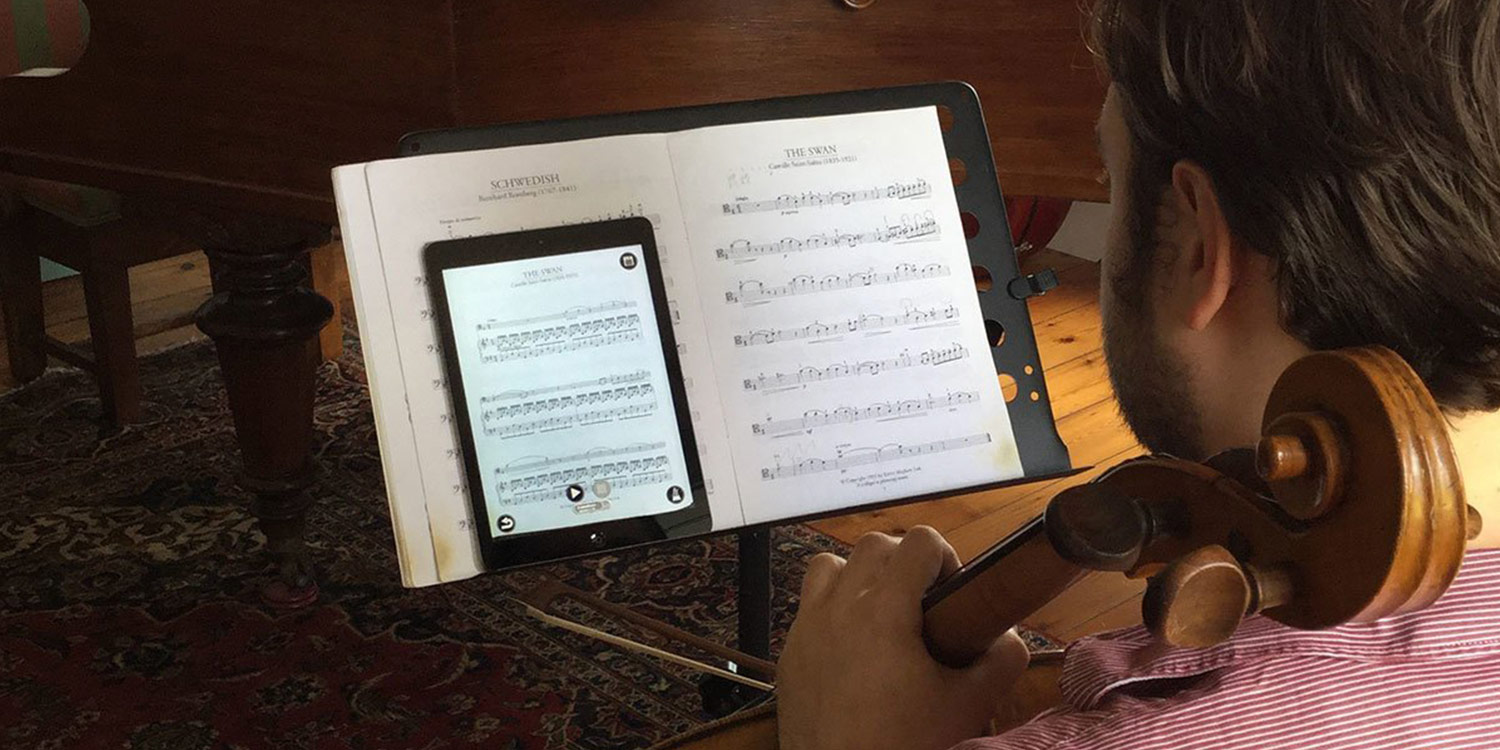
Ultimate Guitar is the largest collection of guitar tabs and chord charts online. I often use it to quickly find chords for popular songs when I don’t have sheet music handy. The app also includes play-along features and backing tracks for premium users.
Pros:
- Massive library of tabs and chords.
- Community-driven content.
- Play-along backing tracks available.
Cons:
- Some tabs are user-made and not always accurate.
- Premium needed for the best features.
Useful links:
- Ultimate Guitar Official
- Ultimate Guitar on App Store
- Ultimate Guitar on Google Play
50. Sibelius Cloud Sharing
Sibelius Cloud Sharing is a free feature from the popular Sibelius notation software. It lets you share your scores online so others can view and play them. I’ve used it to send scores to collaborators, and it’s much easier than emailing files back and forth.
Pros:
- Free to use.
- Easy score sharing and collaboration.
- Works directly with Sibelius.
Cons:
- Requires Sibelius software to create scores.
- Limited editing features in the free version.
Useful links:
- Sibelius Cloud Sharing Official
- Sibelius Cloud FAQ
- Sibelius Review on Scoring Notes
People Also Ask
What Is The Best Free Sheet Music App?
Some of the most popular free sheet music apps include MuseScore, IMSLP, MusicNotes, and Ultimate Guitar. These let you access and view sheet music without paying. However, many of them also offer premium upgrades for extra features like offline access, printing, or advanced tools.
Which Sheet Music App Is Best For Beginners?
For beginners, apps like MuseScore, MusicNotes, and Chordify are great because they are simple to use and cover many popular songs. MuseScore also lets you practice by playing along with the score, which is helpful when learning to read music.
What Is The Best Sheet Music App For IPad?
The iPad is one of the most popular devices for digital sheet music. Top apps include forScore, Newzik, StaffPad, and Paperless Music. These apps make reading, annotating, and organizing sheet music very easy with a large screen.
Can I Use Sheet Music Apps Offline?
Yes, many apps allow offline access, but some require premium subscriptions. For example, MuseScore Pro, MusicNotes Premium, and forScore let you download sheet music to use without the internet. Always check before a performance if your app works offline.
Can I Learn Music On My Own?
Anyone can learn music theory and it's possible to do it online, whether on your own, with a teacher, or even in a class. This article explains how to do it, where to find the resources you need, and where to start. For centuries, learning music stayed pretty much the same.
Final Thoughts
Switching to digital sheet music has taken the stress out of practice and performance. No more heavy binders or missing pages, just reliable apps that keep everything organized and accessible.
The 50 best sheet music apps here cover every need, from free beginner tools to professional platforms. Try the ones that fit your style and goals, and you’ll see how much smoother your music journey becomes.
If you found this guide helpful, share it with your fellow musicians or bookmark it for quick reference.